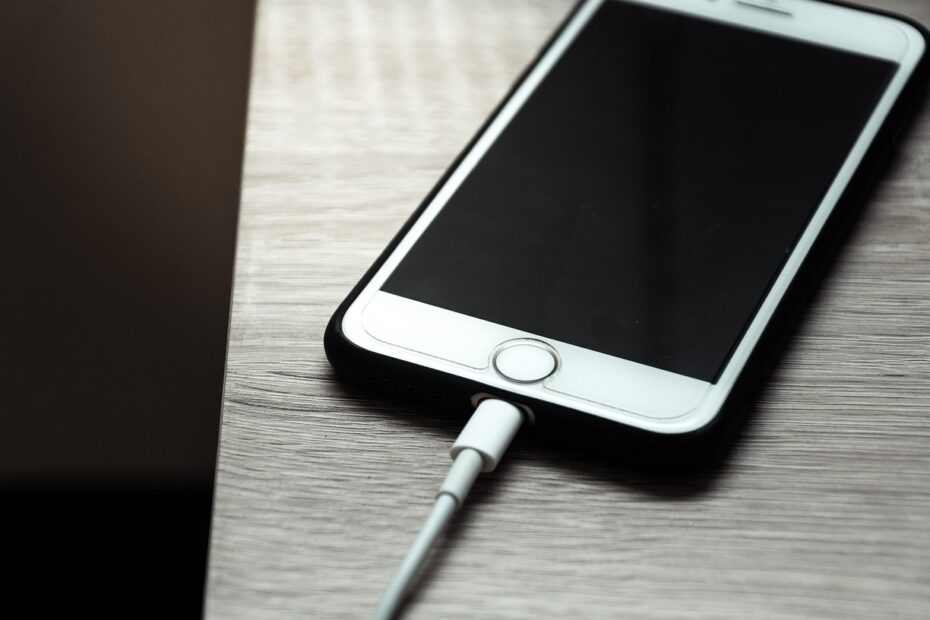
At 45 watts, extra charging power raises heat and chemical strain rather than causing instant damage. A compatible phone, laptop, or EV controls the charging session, but repeated hot, high-power sessions can trim battery capacity across years. Your battery temperature shapes much of that wear.
This covers lithium-ion batteries in phones, laptops, and electric vehicles, with practical guidance for travel, desk work, overnight charging, and Apple iPhone battery health settings.
Fast Charging Is Safe Within Device Limits, but Aging Adds Up
A modern device does not accept power blindly. Your iPhone, Samsung Galaxy, Android phone, laptop, or electric vehicle negotiates a charging level with the power source and watches cell voltage before high power reaches the battery.
Fast charging refills energy at a higher charging rate than a basic charger delivers. You might use it to move a phone from 20% to 60% before leaving home. A compatible system stays within voltage, current, and temperature limits set by the device maker.
Immediate danger differs from gradual capacity loss
Battery health refers mainly to remaining capacity compared with a new battery. A battery-health reading of 85% means your device stores less energy than it did new, so your daily runtime shrinks even though charging still works normally.
Your battery also loses capacity through charging cycles, age, heat exposure, and time spent full. Fast charging adds another source of stress, yet it is rarely the sole reason a battery-health percentage falls.
That added stress is not mysterious: faster energy transfer can raise temperature and accelerate reactions inside the cell.
| Charging situation | Immediate result | Long-term battery effect |
|---|---|---|
| Compatible fast charger at room temperature | Controlled power delivery | Some added wear across repeated sessions |
| Slow charging in a cool room | Lower internal heat | Less stress per charging session |
| Fast charging in direct sun | Heat limits can trigger throttling | Higher aging pressure |
| Hours parked at 100% while warm | Low charging current near full | More calendar aging |
Your device becoming warm during a brief fast charge is not an emergency. Heat that stays high, triggers charging pauses, or makes the device uncomfortable to hold deserves action.
Higher Charging Current Creates Heat and Chemical Stress
The added wear starts inside the cell. Electrical current meets internal resistance in the battery, and resistance turns part of that energy into heat. Higher current creates more heat generation before you feel warmth through the phone case.
Charging rate is described as C-rate. A 1C charging rate would fill a battery in about one hour under ideal conditions, while lower rates place less demand on the cell. Your device does not hold one fixed rate because temperature and battery level keep changing.
Heat speeds side reactions inside lithium-ion cells
Lithium-ion batteries store energy by moving lithium ions between two electrodes. Charging pushes ions toward the graphite anode. Heat speeds side reactions that consume active lithium and thicken the protective layer on that electrode.
That layer is needed in small amounts, yet it raises resistance as it grows. Higher resistance produces more heat during later charges, creating a slow feedback loop that reduces capacity retention.
Cold charging carries a separate risk
A cold battery does not accept ions as readily as a warm battery. High current in low temperatures raises the chance of lithium plating, where metallic lithium deposits on the anode instead of entering its structure.
Lithium plating reduces capacity and shrinks safety margins. Your EV or phone can slow charging in cold weather for this reason. Allow a chilled device to warm closer to room temperature before demanding a rapid refill.
Heat and High Charge Levels Matter More Than Charger Wattage Alone
A cool phone charged quickly from 25% to 65% can age less than a warm phone sitting at 100% for six hours. Wattage matters, yet battery temperature and high state of charge shape the larger daily penalty.
Calendar aging describes capacity loss while a battery sits over time. High charge levels raise cell voltage, and higher voltage makes damaging chemical reactions more active. Warmth adds more strain to that process.
Fast charging versus charging to 80%
An 80% charge cap and rapid top-ups serve different needs from one day to the next. Your strongest longevity habit is reducing long stretches near full charge, especially in warm conditions, while using fast power for genuine time pressure.
Apple offers an 80% Charge Limit on supported iPhone models, while Optimized Battery Charging learns your routine and delays the last portion of a charge. Samsung Galaxy phones and many Android models also include battery-protection settings that cap charging below full.
| Habit | Heat exposure | Effect on long-term wear |
|---|---|---|
| Fast charge from 30% to 70% | Brief and moderate | Moderate wear |
| Slow charge to 100% overnight in heat | Long and elevated | Higher wear |
| Charge limit near 80% on a desk device | Lower full-charge exposure | Lower calendar aging pressure |
| Fast charge a cold battery | Cell acceptance is poor | Higher lithium-plating risk |
Your schedule still counts. Charge to 100% before a long flight, a workday away from an outlet, or an EV road trip. The extra runtime has value, and protecting a battery does not mean treating full charge as forbidden.
Charging Power Tapers as the Battery Nears Full
The high number printed on a charger describes a peak, not a constant flow from empty to full. Most devices accept their strongest power in the lower and middle portion of the battery, then reduce current as cell voltage rises.
This charging taper protects the cell during the constant-voltage phase. Near full, the device holds voltage within a narrow range and feeds smaller current into the battery until charging stops.
The charging curve changes during each session
- Low-charge phase: Your device accepts substantial power after confirming that the battery sits within a safe temperature range.
- Rapid-fill phase: Charging current rises, and your battery gains usable runtime quickly through the middle of its state of charge.
- Taper phase: Current falls as voltage approaches its ceiling, reducing strain near the top of the battery.
- Full-charge hold: Charging stops or pulses lightly while the device runs from external power and holds its target level.
An iPhone can gain a large share of its daily runtime during the earlier part of a wired session, then spend far longer filling the final portion. Your 80% limit removes much of that slow, high-voltage tail on days where maximum runtime is unnecessary.
Those charging curves are not accidental; onboard controls continuously adjust power to keep the battery within safe operating conditions.
Battery Management Systems Set the Real Charging Limits
Behind the charging icon, the battery management system, or BMS, watches voltage, current, temperature, and cell behavior. Your device can reduce power, pause charging, or resume later as conditions change.
A higher-watt charger does not shove its full rating into a lower-rated device. USB Power Delivery, also called USB-PD, uses communication between charger and device to select a shared voltage and current level. Apple MagSafe, USB-C Power Delivery, and Qualcomm Quick Charge each rely on compatible hardware rules.
Power negotiation protects compatible hardware
A 100-watt USB-C laptop charger can charge a phone at a far lower level because the phone requests only what its charging circuit accepts. Your cable matters too, because a damaged, thin, or poorly made cable can heat up and interrupt stable power delivery.
Use the charger supplied for your device or equipment from an established manufacturer that lists the relevant USB-PD, USB-C, or vehicle standard. Avoid cracked adapters, loose ports, frayed insulation, and cables that become sharply hot near either connector.
Fast-charging myths create needless fear
- Higher watts force damage: Your device selects its negotiated limit through a compatible charging protocol.
- Fast charging stays maxed out: Power drops during the upper portion of a charging session.
- 100% ruins a battery: Full charge is useful, though repeated warm storage at full adds wear.
- Overnight charging never heats: Bedding, thick cases, and warm rooms can trap heat around your device.
- Battery health identifies one habit: Your percentage reflects combined age, temperature, cycles, and charging history.
Charging under a pillow or on a soft bed traps heat around the device. Put your phone on a hard, open surface where air can move around it.
Phones, Laptops, and EVs Have Different Fast-Charging Trade-Offs
A phone has a compact battery and little room to shed heat, while an electric vehicle carries a large pack with active cooling. Your charging habits should reflect those physical differences rather than copy phone advice into an EV routine.
| Device type | Fast-charge concern | Useful habit |
|---|---|---|
| Phone | Case-trapped heat and frequent full charge | Use a charge limit during desk-heavy days |
| Tablet | Long plugged-in periods near full | Unplug after a needed refill |
| Laptop | Heat from charging and processor load together | Use a vendor battery-care mode at a desk |
| Electric vehicle | Cold or hot DC fast charging | Use route-planned rapid charging for travel |
EV thermal systems change the calculation
DC fast charging sends high power directly into an electric vehicle battery pack. Tesla, Ford, Hyundai, and Porsche Taycan vehicles use thermal management systems to warm or cool cells before and during rapid charging.
Route planning can precondition the pack before arrival at a charging stop. That preparation helps cells accept energy at safer temperatures and can shorten the wait. Your occasional road-trip stop is an intended use case, not a sign that the pack is being ruined.
Heavy DC fast charging in hot climates or freezing weather can add degradation faster than lower-power home charging. For an EV used mainly near home, your routine can lean on Level 2 charging while reserving rapid stations for distance travel and tight schedules.
A Practical Charging Routine Balances Convenience and Longevity
The chemistry points toward a practical rule: use speed where speed solves a real problem, then remove unnecessary heat and full-charge time. Your battery is a consumable part, so a workable routine beats rigid rituals that make your device less useful.
Fast charging fits time-sensitive days
Use high-power charging before travel, during a low-battery emergency, or between meetings where a short refill changes your day. A 20-minute phone charge can be more useful than protecting a small fraction of capacity through inconvenience.
Slower power fits quiet hours, a cool desk, and nights where your device has ample time. Avoid rapid charging after gaming, video recording, navigation in summer heat, or a long laptop task that already left the battery warm.
Your priority list for lower wear
- Keep it cool: Charge on a hard surface away from dashboards, direct sun, blankets, and heating vents.
- Remove thick cases: Take off an insulating case after your phone feels unusually warm during a charging session.
- Set a charge cap: Use an 80% limit or battery-care mode for devices that spend hours connected.
- Save speed for need: Reserve maximum-power charging for travel, low battery, and compressed schedules.
- Check cable condition: Replace cables with bent connectors, split jackets, loose ends, or repeated charging dropouts.
- Pause after heavy use: Let a hot phone, laptop, or EV pack cool before adding more charging heat.
Your daily target does not need to be 80% every time. A full battery is sensible before a long day, while a lower ceiling suits a work phone that stays within reach of power for most of the afternoon.
Battery-Health Readings and Heat Warnings Need Context
A battery-health percentage estimates stored capacity relative to new, not the exact cause of lost capacity. Your iPhone can show this estimate in Battery Health settings, but it cannot separate aging from high-temperature use, charging cycles, or calendar aging.
A sudden change deserves more attention than a gradual decline across years. Repeated heat warnings, charging pauses in a cool room, major battery drain, or a charger too hot to touch point toward a condition worth checking.
Symptoms that need a closer look
- Battery swelling: Stop charging and seek device service because pressure can damage the screen or enclosure.
- Repeated heat alerts: Remove the case, move to a cooler area, and stop demanding apps during charging.
- Charging interruptions: Inspect the cable, port, and adapter for debris, wear, or poor connector fit.
- Unusual drain: Check battery usage settings and compare standby loss after a full software restart.
- Hot power brick: Disconnect equipment that becomes painfully hot or smells of heated plastic.
How fast charging affects battery health comes down to the conditions around it. Use compatible fast charging where it gives your day back time, then reduce sustained heat and long warm stays at 100% where maximum battery lifespan matters more.
Final Thoughts on Fast Charging and Battery Wear
Fast charging does not damage phone batteries by default, and you do not need to disable a useful feature. Your strongest defense against premature capacity loss is cooler charging, less time parked near full, and a charging speed that matches the urgency of the day.
Let the battery management system do its job, but do not trap that system inside a hot case, a sunlit car, or a pile of bedding. A compatible charger, a sound cable, and realistic charging habits give your battery the best working conditions.
FAQ
Is fast charging worse for battery life?
Higher current can increase battery wear by generating internal heat and electrochemical stress. Your real-world result depends on battery temperature, charging frequency, time near 100%, device age, and how well the battery management system controls power.
Does fast charging permanently damage lithium-ion batteries?
With compatible equipment, normal high-speed charging does not cause permanent damage to lithium-ion cells. Repeated high heat, cold charging, and long warm periods at 100% create more battery degradation than a single rapid charging session.
Why does heat matter more than charger wattage alone?
Heat speeds chemical reactions inside lithium-ion batteries and raises internal resistance over time. Your device also tapers power near full, so a high-watt charger does not hold peak output throughout the entire charging session.
Should you turn off fast charging to protect battery health?
You do not need to turn off fast charging for normal use with compatible equipment. Reserve it for travel, urgent refills, and tight schedules, then use slower charging during cool, unhurried periods to reduce repeated high-current heat.
Is it better to charge to 80% or 100% on an iPhone?
An 80% limit reduces time at high voltage and can slow calendar aging for an iPhone that spends long periods plugged in. Charge to 100% before travel or a long day away from power, because your needed runtime outweighs the added wear.
Does using a higher-watt charger harm a phone that supports lower charging speeds?
Under USB-PD, USB-C, MagSafe, and similar standards, a phone draws only the power it can safely accept. Your phone requests the voltage and current level its charging circuit accepts.