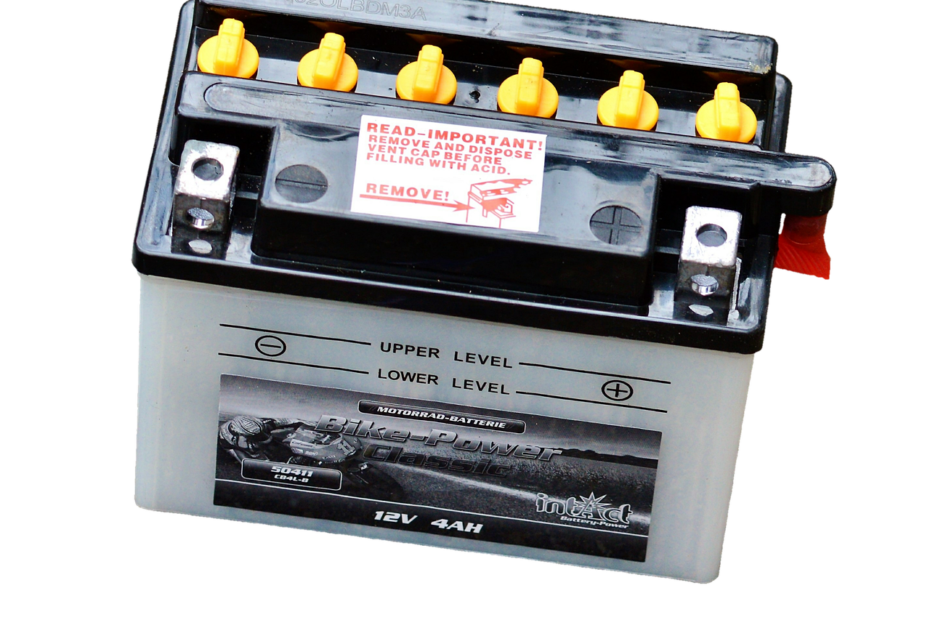
During a full charge-and-discharge cycle, the gauge relearns the usable charge range and displays a more accurate percentage. It helps the battery fuel gauge relearn state of charge (SoC) after drift, but it cannot restore lost cell capacity, repair damage, or add runtime to an aged lithium-ion battery.
This explanation covers phones, laptops, battery-health checks, controlled troubleshooting, and repair signs so you can separate a bad estimate from a worn or damaged battery.
Battery Calibration Corrects the Estimate Rather Than the Cells
Your percentage is an estimate, not a direct view inside the battery pack. The battery management system (BMS) uses voltage, current, temperature, and stored charge-flow data to estimate how much usable energy remains.
Battery health describes the condition and remaining capacity of the cells. Battery capacity is the amount of energy the pack can still hold, while charging optimization changes charging timing to reduce long periods at full charge.
| Term | What it describes | What it means for you |
|---|---|---|
| Battery calibration | Alignment of the charge estimate with the usable battery range | Your displayed percentage may track remaining charge more closely. |
| Battery health | Remaining capacity and condition of battery cells | Your runtime can stay short after the percentage becomes steadier. |
| Battery capacity | The amount of energy the pack can store | A lower capacity means shorter runtime between charges. |
| Charging optimization | Software that adjusts charging timing near full charge | Your device may pause near 80% or finish charging later. |
| Battery usage estimate | An operating-system forecast based on recent power draw | Your screen-time estimate changes with apps, signal strength, and workload. |
A two-year-old phone can show a smoother percentage after a gauge reset and still need charging twice each day. That result points to battery degradation rather than a reporting error, so the next step is learning how the fuel gauge reaches its estimate.
The Fuel Gauge Tracks Charge Flow and Battery Behavior
The BMS works more like a bookkeeper than a liquid gauge. It tracks energy entering and leaving the pack, then checks that record against voltage, temperature, and learned behavior from prior full charge cycles.
Coulomb Counting Tracks Energy Movement
Coulomb counting measures electrical charge moving into and out of the battery. Small measurement errors can drift across dozens of partial charges, especially after long storage, a replacement battery, or a major software update.
Your phone could record 1% less energy than it used during each discharge. After enough charge cycles, that small accounting gap can turn into 18% on screen followed by a shutdown minutes later.
Reference Points Let the Gauge Relearn
A sustained full charge gives some controllers a useful upper reference point. A controlled low-charge endpoint can supply a lower reference, though it belongs in troubleshooting rather than routine care.
Modern protection circuitry shuts the device down before lithium-ion cells reach damaging zero voltage. Still, leaving a device empty for several days adds stress and can make recovery harder after deep depletion.
The controller compares its stored estimate with a known full point and a low-charge point, then adjusts future percentage reporting around that usable range.
Symptoms Separate Gauge Drift From Battery Degradation
A frozen percentage, a sharp jump after a restart, or a rise from 62% to 79% within minutes of charging points toward a gauge or software issue. Smooth percentage loss with much shorter runtime points more strongly to aging cells or heavy power demand.
| Symptom | More likely cause | Useful next action |
|---|---|---|
| Percentage stays fixed for an hour | Gauge drift or software fault | Restart, install updates, then watch two normal charge cycles. |
| Shutdown at 25% or higher | Gauge error or weak cell voltage under load | Check health data and run one controlled cycle. |
| Runtime is short but percentage falls smoothly | Battery degradation or heavy power demand | Review capacity information and recent battery usage. |
| Charging starts and stops | Cable, port, charger, or heat issue | Try known-good power equipment and inspect the charging port. |
| Percentage jumps after restarting | Gauge drift or software reporting issue | Restart again after updates, then track normal charging behavior. |
Heat can create similar symptoms because high temperature changes voltage behavior and forces power limits. Gaming, video calls, weak cellular service, background apps, and software bugs can drain energy quickly without proving that the percentage is inaccurate.
Skip manual cycling when your device is hot, swollen, physically damaged, or losing charge at an extreme rate. Those signs point toward service rather than a discharge experiment.
Skipping a manual cycle causes no direct harm. Your practical issue is uncertainty: low-battery warnings become less useful, travel charging becomes harder to plan, and an unexpected shutdown can interrupt work.
Because several faults can produce the same warning, built-in health data should narrow the cause before any discharge test.
Device Diagnostics Come Before a Manual Cycle
Built-in health tools can separate a worn battery from a confused estimate without forcing a deep drain. Your safest path depends on the device type, the displayed symptom, and whether charging behavior itself is stable.
- Check iPhone Battery Health: Open Settings, Battery, Battery Health and Charging to view maximum capacity and any service message.
- Review Android battery settings: Android battery settings vary by maker, while Google Pixel devices can show battery information within Settings.
- Run a Windows battery report: Enter
powercfg /batteryreportin Command Prompt to view design capacity and full-charge capacity. - Inspect macOS battery health management: Open System Settings, Battery, then Battery Health for condition status and capacity information.
- Use laptop diagnostics: Dell, Lenovo, HP, and ASUS laptops may include BIOS diagnostics or power-management utilities.
- Inspect charging hardware: Check the cable, adapter, and charging port for debris, looseness, repeated disconnects, or visible damage.
Reserve a manual cycle for a clear mismatch, such as a replacement battery shutting down at 30%, a display changing wildly after a restart, or a device returning from several months in a drawer.
Repeated 0% discharges are not routine maintenance for lithium-ion batteries. Ordinary charging across low and high levels gives the BMS usable data during daily operation without adding needless discharge stress.
Phone Recalibration Uses One Controlled Observation Cycle
iPhones and modern Android phones rarely include a user-accessible fuel-gauge reset. You can still run one careful observation cycle, then judge the result through normal use over the next two or three charge cycles.
- Update system software: Install current operating-system updates because a software fault can distort battery reporting.
- Check charging equipment: Use a known-good cable and power adapter that charge your phone without repeated disconnects.
- Reach full charge: Charge uninterrupted to 100%, then leave it connected briefly where the device maker permits.
- Use normal workloads: Use calls, maps, video, messaging, and standby as you normally would until a low-charge warning or natural shutdown.
- Recharge promptly: Connect power soon after shutdown and charge without interruption while the phone stays idle.
Your phone does not need forced screen-on use to reach empty faster. That raises heat and creates an unusual load pattern, which makes the result less useful than a normal day of use.
One controlled low endpoint is enough for diagnosis. Repeating zero-percent cycles after every suspicious reading adds more wear to lithium-ion cells than the gauge issue justifies.
Watch the next two or three charge cycles. A stable result shows gradual percentage loss, predictable low-battery alerts, and no shutdown above the displayed reserve.
How to calibrate a phone battery depends less on draining it completely than on observing a single normal discharge and recharge after updates, charging checks, and health-screen review.
Unlike phones, laptops often expose capacity data through firmware and operating-system tools before a manual test is warranted.
Laptop Calibration Favors Manufacturer Diagnostics
Laptop batteries have their own controller, and some laptop makers include a model-specific routine in BIOS or a power-management utility. That route is preferable because its charge thresholds can match your hardware.
One Controlled Laptop Cycle
- Charge fully: Connect AC power until the laptop reports full charge and charging has settled.
- Change sleep settings: Temporarily stop sleep and hibernation from interrupting the discharge period.
- Work on battery: Use normal light work until an automatic low-charge shutdown occurs.
- Rest briefly: Leave the laptop off for 30 minutes so voltage can settle after the workload ends.
- Recharge uninterrupted: Charge while the laptop is off or idle until it reaches full charge again.
Removable packs need separate handling. Check the device manual, inspect contacts for dirt or bent metal, and avoid copying a phone routine onto a camera, cordless tool, or older notebook battery.
| Device type | Preferred method | Manual cycle role |
|---|---|---|
| iPhone | iPhone Battery Health and normal charge cycles | Limited observation cycle for clearly inaccurate readings. |
| Android phone | Android battery settings and software updates | One low-charge endpoint after clear gauge drift. |
| Windows laptop | Windows battery report, BIOS, or maker diagnostic | Fallback method without a supported utility. |
| MacBook | macOS battery health management and condition data | Limited troubleshooting after a clear reporting issue. |
| Removable battery pack | Device manual and contact inspection | Only under device-specific instructions. |
How to calibrate a laptop battery starts with the maker’s diagnostic tools, not a generic deep-discharge routine. Your Windows battery report or BIOS utility can reveal falling full-charge capacity before you put the pack through a manual cycle.
Stable Readings Need Proof Across Normal Charge Cycles
A successful result appears in daily use, not in one screenshot at 100%. Your percentage should fall in smaller steps, and the low-battery alert should leave enough time to connect power.
- Track two to three cycles: Use similar workloads, such as work email, browsing, and one video call.
- Record shutdown level: Write down the displayed percentage during any unexpected shutdown.
- Check full-charge capacity: Compare laptop reports or phone health screens after several normal cycles.
- Watch charging pace: A steady charge curve gives better evidence than one unusually fast percentage jump.
- Watch device temperature: Heat during idle charging points toward a battery, charger, port, or software issue.
A new or replacement battery can take two to three ordinary charge cycles to settle because its controller needs fresh charge-flow data. Continued deep discharge does not speed that learning and can hide a defective cell behind a short-lived reporting improvement.
A laptop that once shut down at 35% but now reaches its 7% warning consistently has better gauge alignment. A phone that still dies at 35% during a camera session points more strongly to voltage sag from battery degradation.
A battery percentage inaccurate after several stable cycles deserves deeper checks. Review iPhone Battery Health, Android diagnostics where available, Windows battery reports, or macOS battery condition information before repeating the low-charge test.
Replacement and Repair Signs Override Calibration Attempts
Repeated shutdowns above 15% after one controlled cycle point toward repair, especially beside a steep drop in full-charge capacity. Your device is showing that its remaining energy cannot hold voltage under a real workload.
| Warning sign | Probable issue | Next step |
|---|---|---|
| Swelling or a lifted screen | Damaged battery pack | Stop using the device and seek professional service. |
| Battery service warning | Health threshold or controller fault | Arrange battery service through the device maker. |
| Excessive charging heat | Battery, charger, or port fault | Disconnect power and arrange an inspection. |
| Failure to charge normally | Port, cable, adapter, or battery issue | Try known-good equipment, then seek repair. |
| Fast capacity decline | Battery degradation or defective replacement pack | Review diagnostics and arrange service. |
Battery calibration vs battery replacement is a question of evidence, not preference. Use a controlled cycle for a believable measurement error; seek a new battery or hardware service for swelling, heat, service alerts, persistent shutdowns, or capacity that keeps falling.
Healthy charging habits reduce needless stress. Keep devices out of hot cars, avoid repeated zero-percent runs, use reliable power equipment, and return to a controlled cycle only after a real measurement problem returns.
Final Takeaways
Your percentage is a forecast built from current, voltage, temperature, and prior charge-flow data. One careful cycle can help a drifting battery fuel gauge relearn its range, but it cannot rebuild aged chemistry or restore lost capacity.
Start with health screens and device diagnostics, then watch several normal cycles for stable percentage loss and predictable warnings. Swelling, excess heat, charging failure, service alerts, or repeated shutdowns above 15% call for repair rather than another discharge test.
FAQ
What happens if I don’t calibrate my battery?
Nothing harmful happens from skipping calibration. Your device may continue showing an inaccurate percentage, which can make shutdowns and charging decisions harder to predict. A stable but shortened runtime points more toward battery aging than a missing calibration cycle.
How long does it take for a new battery to calibrate?
A new battery estimate can settle over two to three ordinary charge cycles. Your device needs real charge and discharge data to improve its state-of-charge estimate. Persistent jumps, heat, or shutdowns after that period call for diagnostics rather than repeated deep discharge.
How do I manually calibrate my battery?
Charge fully with reliable equipment, use the device normally until its low-charge warning or natural shutdown, then recharge promptly without interruption. Use this process once for a clear percentage mismatch, not as routine maintenance for a lithium-ion battery.
How do I fix battery calibration issues?
Start with software updates, a restart, known-good charging equipment, and battery-health reports. A controlled cycle fits a clear gauge mismatch, while service warnings, swelling, charging failures, and repeated shutdowns point toward battery or hardware repair.
Does battery calibration improve battery life or restore capacity?
A relearned charge gauge can report percentage more accurately, but it cannot restore chemical capacity or add runtime to worn cells. A healthier estimate may stop surprise shutdowns, yet a degraded battery still holds less energy than it did when new.
How often should you calibrate a battery?
Manual calibration is not monthly maintenance for a lithium-ion battery. Use one controlled cycle only after clear gauge drift, such as shutdowns above the displayed reserve, frozen percentages, or large jumps after a restart.