Cell-seal failure, damaged vents, corroded terminals, or cracked casings can release electrolyte. In AA alkaline batteries, the material is potassium hydroxide, not acid; it dries into pale residue that corrodes metal contacts before a remote, clock, or flashlight stops working.
The sections below cover pressure, corrosion, storage, chemistry, cleanup, and disposal for household cells, helping you judge residue in a remote, toy, flashlight, or rechargeable pack.
A Failed Seal Lets Electrolyte Leave the Cell
A battery holds reactive materials inside a metal can or plastic housing. Leakage begins after a seal, vent, terminal area, or casing develops an opening. Your device then receives electrolyte that belonged inside the cell.
White crust is not the original leak. Wet electrolyte meets air, moisture, and metal battery terminals, then dries into powdery battery corrosion. That residue can grip springs, coat contacts, and block electrical flow.
| What you see | What it means for your device |
|---|---|
| Wet film near a terminal | The cell has released electrolyte and needs removal. |
| White crust residue | Alkaline electrolyte has reacted with moisture and carbon dioxide. |
| Blue-green deposits | Copper-containing contacts have started corroding. |
| Rust around a spring | Metal contact material has begun breaking down. |
Alkaline batteries use potassium hydroxide electrolyte, a strongly alkaline material. Direct contact can irritate skin and burn eyes. Wear gloves before handling a damaged AA or AAA cell, and keep residue away from your face.
Internal Pressure and Corrosion Open a Leak Path
Inside a depleted alkaline cell, chemical activity continues after a device loses power. Side reactions produce gas, raising pressure against seals and vents near the positive terminal. A weakened point then releases electrolyte into your battery compartment.
Discharge Leads to Progressive Cell Failure
- Power drains: Your device draws current and changes materials inside the cell.
- Gas develops: Side reactions release gas inside the sealed metal can.
- Pressure rises: Internal pressure pushes against seals, vents, and terminal edges.
- Metal degrades: Corrosion attacks the steel can and terminal area from within.
- Electrolyte escapes: A compromised seal releases potassium hydroxide onto nearby contacts.
Storage does not stop those slow reactions. A drawer holding spare batteries for five years gives seals time to age and internal metal time to corrode. Your unused cells remain chemically active, even without a device load.
Air Turns Escaped Electrolyte Into White Powder
Potassium hydroxide reacts with carbon dioxide and moisture after it leaves an alkaline cell. The reaction forms the white crust seen around a terminal or spring. That is why do batteries leak white powder has a more specific answer than “battery acid.”
A flashlight shows how residue spreads. Electrolyte may emerge at the positive end, yet the spring at the opposite end can turn green or rusty after residue travels through the compartment. Your visible corrosion may sit far from the original leak point.
Age, Heat, Overdischarge, and Mixed Cells Raise Failure Risk
Heat exposure speeds the chemical reactions that raise pressure inside a battery. A remote left in a hot car or a flashlight stored near a furnace faces faster breakdown and shorter service life. Your storage location affects the stress placed on every installed cell.
| Risk factor | What happens inside the cell | Practical response |
|---|---|---|
| Long storage | Seals and internal metal degrade over time. | Inspect loose cells twice each year. |
| Heat exposure | Faster reactions raise gas pressure. | Store batteries in a cool, dry room. |
| Overdischarge | Very low voltage promotes internal damage and corrosion. | Remove exhausted cells promptly. |
| Physical damage | Dents, crushing, and drops can harm the casing. | Set damaged cells aside for disposal. |
| Mixed battery types | A weak cell can enter reverse charging. | Use matched cells from one package. |
Mixed battery types add a less visible strain. A new alkaline cell paired with an older depleted cell can force current backward through the weaker one. Reverse charging generates heat, harms internal materials, and raises the chance of leakage in your device.
Do not mix alkaline batteries with zinc-carbon batteries, nickel-metal hydride (NiMH) rechargeable batteries, or cells with visibly different charge levels. Your device may still run, but the weakest cell carries the highest strain.
Low-Drain Devices Leave Depleted Cells Installed Too Long
A wall clock can run for a year while its AA battery moves toward overdischarge. Remotes, smoke alarms, flashlights, toys, and holiday decorations create the same problem: the device appears normal, so depleted cells stay installed long after useful power has faded.
Small standby loads matter. A television remote draws tiny amounts of current between button presses, and a toy with electronic memory keeps drawing power in a closet. Your battery compartment stays exposed during those quiet months.
- TV remotes: Inspect batteries before a long trip or seasonal home closure.
- Emergency flashlights: Remove disposable cells before extended vehicle storage.
- Holiday decorations: Take batteries out after the display comes down.
- Children’s toys: Inspect compartments after several months without use.
- Wall clocks: Change depleted cells rather than leaving them until failure.
Time is the main factor, not heavy power demand. Your remote can keep responding until voltage drops too far, even as chemical wear continues inside the installed battery.
Battery Chemistry Changes the Warning Signs
Crust in a household remote needs a different response from a swollen phone battery. Cell chemistry determines the escaped material, visible symptoms, and level of danger to you and your property.
| Battery type | Leak pattern | Main concern |
|---|---|---|
| Alkaline and zinc-carbon | Crusty alkaline residue near terminals | Contact corrosion and skin irritation |
| NiMH rechargeable | Venting after overcharge or overheating | Heat, electrolyte release, and charger damage |
| Lithium-ion | Swelling, venting, smoke, or fire | Flammable electrolyte and thermal runaway |
| Lithium primary | Leakage after physical damage or severe misuse | Reactive chemistry and specialized disposal |
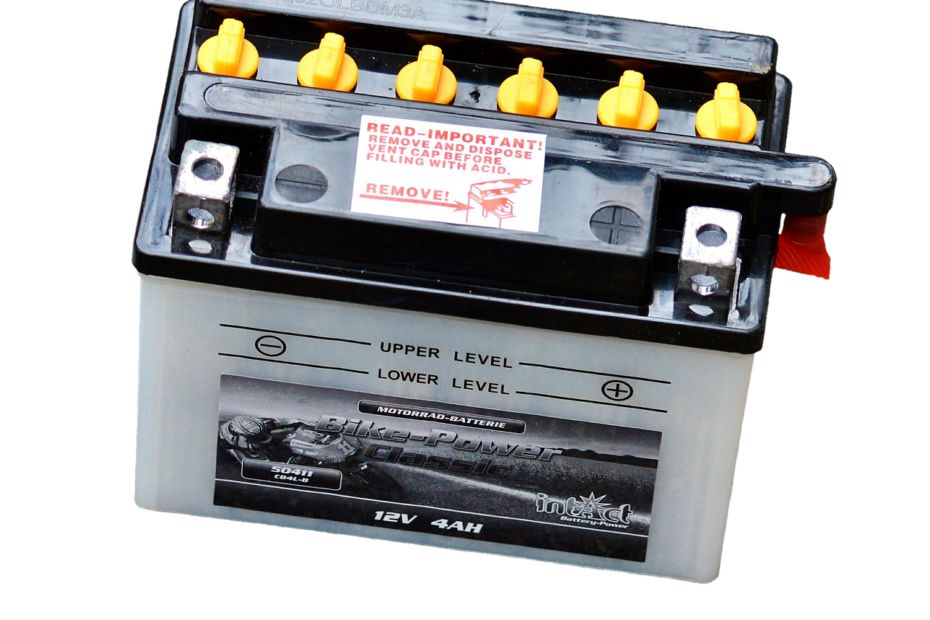
| Lead-acid car battery | Liquid acid around the case or terminals | Acid burns, corrosion, and hydrogen gas |
Nickel-metal hydride (NiMH) rechargeable batteries can vent after overcharging, overheating, charger failure, or internal damage. Use a charger designed for NiMH chemistry. Your rechargeable AA cells need temperature and voltage control during charging.
Lithium-ion batteries require greater caution. A swollen pouch cell, hot power bank, chemical odor, hissing sound, smoke, or venting battery can ignite. Do not squeeze, puncture, recharge, or place that battery in household trash.
Because these failures carry different hazards, treating every damaged battery as ordinary corrosion can turn a manageable problem dangerous.
Residue, Swelling, and Heat Need Different Responses
White deposits and green corrosion call for controlled cleanup, but swelling and heat call for distance and isolation. Your response should match the chemistry and warning signs in front of you.
- White residue: Wear gloves and keep deposits away from your eyes.
- Wet compartment: Turn off the device before removing damaged cells.
- Bulging cell: Stop using the device and isolate it from flammable materials.
- Hot battery: Leave it alone and move away from the immediate area.
- Smoke or hissing: Treat the situation as a fire emergency and contact local emergency services.
- Rusted contacts: Start cleanup only after every damaged cell is out.
Alkaline residue can burn sensitive skin and eyes, yet it rarely carries the fire concern linked to lithium-ion batteries. Your key distinction is simple: crust from a remote needs careful cleanup, whereas swelling or heat from a rechargeable pack needs fire-safety distance.
Controlled Cleanup May Save a Corroded Battery Compartment
A cotton swab may save a lightly corroded remote contact where residue has not reached the circuit board. Turn off your device, remove cells with gloves, and place damaged batteries in a nonmetal container away from children and pets.
Alkaline Residue Needs a Small Amount of Acid
- Wear gloves: Protect your skin and keep residue away from your face.
- Remove cells: Lift batteries out without dragging deposits across the compartment.
- Add vinegar: Dab white vinegar or lemon juice onto crust with a cotton swab.
- Wipe contacts: Lift softened deposits with a fresh swab or soft cloth.
- Use alcohol: Wipe the area with isopropyl alcohol and allow full drying.
White vinegar or lemon juice helps neutralize alkaline potassium hydroxide deposits. Use a small amount rather than pouring liquid into the compartment. Your electronics should not sit in liquid, and water can remain under contacts or reach circuit boards.
How to clean battery corrosion depends on depth. Light crust on a spring or battery terminal may lift with careful swabbing, but deeply eaten contacts and board contamination need electronic repair. A knife can remove metal along with residue, making a weak connection worse.
When corrosion has already compromised contacts, fresh cells alone cannot restore reliability or prevent recurring damage.
Do not scrape aggressively, mix cleaning chemicals, or attempt household cleanup on a damaged lithium-ion battery. Swelling, heat, smoke, and venting call for isolation and specialized disposal.
Replacement and Storage Choices Limit Lasting Device Damage
A leaking battery can still show voltage, yet it belongs in disposal rather than service. Leakage signals internal damage, and reuse can spread corrosion or raise pressure inside the cell. Your safest choice is to retire it.
Install fresh matched batteries after the compartment is dry and free of residue. A remote that works after cleanup has avoided serious contact loss. Seek repair help where springs crumble, contacts have dissolved, residue reached circuit boards, or new cells still produce unstable power.
- Match every cell: Use the same chemistry, brand, age, and charge level.
- Check polarity: Align positive and negative marks before closing the compartment.
- Remove storage cells: Take disposable batteries out of idle seasonal devices.
- Avoid heat: Keep batteries away from cars, radiators, attics, and direct sun.
- Inspect twice yearly: Open seldom-used devices before corrosion takes hold.
- Use proper disposal: Bring leaking batteries to a battery collection or household hazardous-waste site.
How to prevent battery leaks starts with shorter storage periods, matched cells, and regular inspections. Your next check should cover remotes, flashlights, clocks, and stored toys because those devices can conceal corrosion for months.
Practical Takeaways for Household Batteries
Battery leakage begins inside the cell, but lasting damage appears on metal contacts and circuit boards. Heat, age, overdischarge, physical damage, and mixed battery types strain seals until electrolyte escapes. Your prompt removal and careful cleanup can save a battery compartment before minor crust becomes missing metal.
What causes alkaline batteries to leak is not a single event. A long-stored cell may develop internal corrosion, gas pressure, seal aging, and electrolyte release over months or years. Keep your devices dry, cool, and inspected twice each year.
FAQ
Do batteries still work after they leak?
Leaking batteries can retain enough charge to power a device for a short time, but you should not reuse or recharge them. Escaped electrolyte shows that the casing or seal has failed, and continued use can worsen corrosion inside your device or cause further cell damage.
Is a device ruined after a battery leaks?
Prompt cleanup often saves a device after a battery leak. Your device may recover where residue stays inside the compartment and contacts clean up without deep pitting. Seek repair help where corrosion reaches circuit boards, springs crumble, or fresh batteries fail to produce steady power.
How do you stop batteries from leaking?
You lower leakage risk by using matched cells, removing batteries from stored devices, avoiding heat exposure, and inspecting low-drain devices twice each year. Your remote, flashlight, clock, and seasonal decorations deserve attention because depleted cells can stay inside for long periods without visible warning.
What are the most common reasons batteries leak?
Age, long storage, heat exposure, overdischarge, physical damage, internal corrosion, and mixed battery types are major causes. Your weakest cell can enter reverse charging in a mixed set, while high heat speeds gas generation and raises pressure against seals and vents.
Are leaking batteries dangerous to touch or throw away?
Leaking alkaline batteries can irritate or burn your skin and eyes, while residue can corrode metal contacts. Lithium-ion batteries carry a higher fire concern because swelling, overheating, smoke, or venting can signal a damaged cell with flammable electrolyte. Your response should match the battery chemistry and visible warning signs.