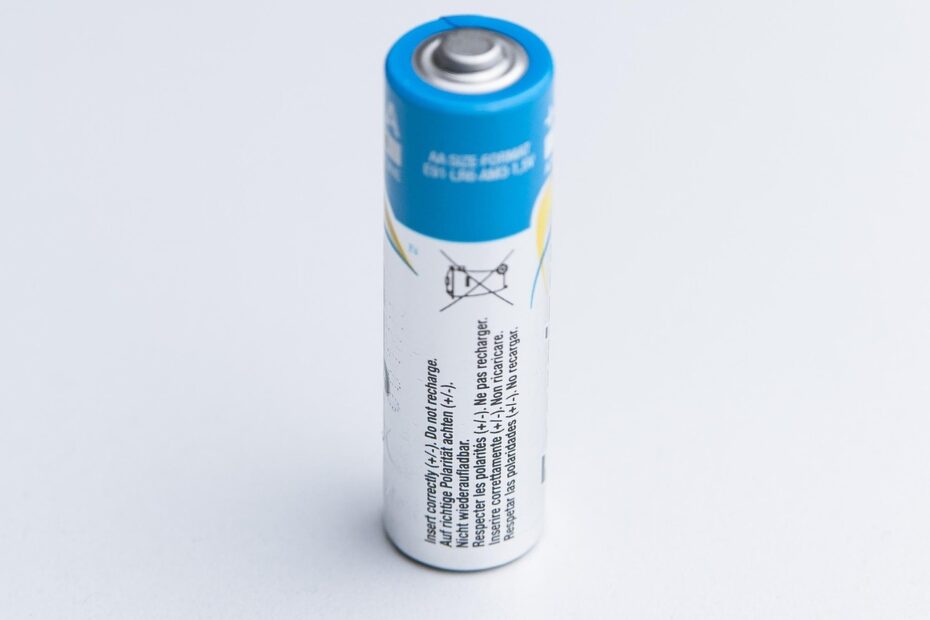
Moving energy equal to 100% of usable capacity out of the pack and back in constitutes one cycle. A lunch-hour top-up is not a full cycle by itself; several partial drains and recharges can total one cycle, shaping the number shown in your battery-health settings.
This explanation covers cycle math, lithium-ion charging stages, aging, device diagnostics, and service signs for your phone, laptop, EV, or tool battery.
Energy Throughput Defines a Full-Cycle Equivalent
A 4,000 mAh phone battery that delivers 2,000 mAh today and 2,000 mAh tomorrow has supplied its full usable capacity. After that energy returns through charging, the device can record one full-cycle equivalent, even though charging happened twice.
Your battery charging cycle tracks cumulative energy throughput rather than charging sessions. A session only marks time connected to power. A cycle records battery use totaling 100% of usable capacity.
Cycle Count Tracks Use Rather Than Remaining Capacity
The battery cycle count meaning is easy to overstate. The number shows how much charge-discharge work the pack has completed, yet it does not reveal current battery health, internal resistance, heat exposure, or physical damage.
Apple, Dell, and Lenovo set different service targets because battery packs vary in cell chemistry, cooling, charge limits, and workload. Your 500-cycle laptop can still run well, while a lower-count pack can struggle after years in a hot car.
Cycle count is a mileage figure, not a diagnosis. Read it beside runtime, maximum capacity, temperature, and charging behavior before judging your battery.
Partial Charging Adds Up Through Cumulative Use
Small top-ups do not add wear merely because charging happens more than once. Two 50% uses followed by two recharges move energy equal to one complete charge-discharge cycle through your battery.
| Use pattern | Energy removed or restored | Full-cycle equivalent |
|---|---|---|
| Your phone drops from 100% to 50% twice | 50% + 50% | 1 cycle |
| Your laptop uses 25% across four work sessions | 25% + 25% + 25% + 25% | 1 cycle |
| Your device charges from 50% to 100% twice | 50% restored twice | About 1 cycle of throughput |
| Your EV uses 10% across ten short trips | 10% repeated ten times | 1 cycle |
Four 25% discharges also equal one full-cycle equivalent. Device records can differ slightly because usable capacity changes with temperature, power losses, and the Battery Management System, or BMS, which tracks and protects the pack.
That is how partial charges add up to one cycle: energy removed and restored reaches 100% of usable battery capacity. Your two charges from 50% to 100% count as about one cycle of throughput, not two separate full cycles.
Leaving your device connected after 100% does not add cycles hour after hour. The BMS reduces or stops charge flow near full, then adds small replenishments after voltage falls below its control point.
Those top-off pulses make more sense once the charger’s voltage- and current-controlled phases are clear.
Lithium-Ion Charging Moves Through Two Stages
Inside a lithium-ion battery, lithium ions move from the positive electrode toward the negative electrode during charging. Your charger sends electrons through the external circuit while ions move through the electrolyte inside the cell.
Constant Current Raises State of Charge Quickly
At the start of charging, the charger supplies controlled current, driving state of charge, or SoC, upward quickly. A phone near 20% spends much of its session here, which explains the rapid percentage climb near the start.
Fast charging sends more power during this stage, within limits set by the device and charger. USB Power Delivery lets compatible phones and laptops negotiate voltage and current, but heat still limits what your battery can safely absorb.
Constant Voltage Slows the Final Fill
Near full charge, the charger holds a set voltage instead of forcing the same current. Current tapers as the cell resists further energy storage, much like water slowing at a bottle neck.
Charging stops after current falls below a programmed threshold or the BMS ends the process. During discharge, lithium ions move back through the electrolyte and electrons power your screen, processor, motor, or lights.
Each charge-and-discharge movement causes wear, while time and heat can degrade a resting pack.
Cycle Aging and Calendar Aging Reduce Capacity Differently
The taper near 100% points to extra chemical stress at a high state of charge. Cycle aging comes from charge-discharge work, while calendar aging advances with time during months of light use.
| Aging source | What drives it | What you may notice |
|---|---|---|
| Cycle aging | Energy throughput, deep discharge, heavy loads | Shorter runtime after repeated use |
| Calendar aging | Time, heat, and long periods near full charge | Capacity loss despite a modest cycle count |
| Heat-driven wear | Hot vehicles, gaming, rapid charging, poor airflow | Warm charging and faster runtime loss |
Heat speeds side reactions inside the cell. High charging voltage, high current, deep discharge, and repeated heavy loads can compound that stress, leaving your battery with less battery capacity and greater voltage sag under load.
Your low cycle count cannot erase years at 100% in a warm drawer or dashboard mount. A battery stored fully charged in a 95-degree vehicle can lose capacity far faster than its cycle record suggests.
Stop charging and arrange prompt professional service for a pack that becomes unusually hot, swells, smells chemical, or pushes up a screen, case, or battery cover.
Chemistry and Use Conditions Set Cycle-Life Expectations
Cycle-life ratings describe a capacity target rather than a fixed number of years. Many lithium-ion ratings end at 80% of original capacity, meaning the pack still works but stores less energy than it did while new.
| Battery chemistry | Broad cycle-life range | Care priority for your use |
|---|---|---|
| Lithium-ion | 300 to 1,000+ cycles | Limit heat and repeated deep depletion |
| Lead-acid | 200 to 500 cycles | Recharge promptly and avoid deep discharge |
| Nickel-metal hydride battery | 300 to 500 cycles | Use a charger matched to your cell type |
| Nickel-cadmium | 1,000+ cycles | Use periodic full discharge only where specified |
The lithium-ion battery cycle life range depends on depth of discharge, cell design, load, and temperature. A shallow 20% daily use pattern places less strain on your lithium-ion battery than repeated runs from 100% to near zero.
A rating of 1,000 cycles does not equal a fixed calendar span. Your battery reaches that total in about 2.7 years at one full-cycle equivalent per day, yet calendar aging can reduce capacity well before or well after that point.
Because use conditions can outweigh the count, everyday choices offer a practical way to reduce battery stress.
Daily Charging Habits Can Limit Battery Stress
Partial charging is normal for modern phones, laptops, and EVs. Keeping a lithium-ion pack within moderate charge levels during routine use reduces high-voltage exposure and avoids strain from repeated full discharge.
- Control heat: Remove a phone from direct sun, thick bedding, or a hot vehicle before connecting power.
- Use matched power: Choose the cable and charger specified for your device, especially with USB Power Delivery equipment.
- Avoid deep drains: Recharge before repeated drops to 0%, since deep discharge adds stress to battery cells.
- Use adaptive charging: Turn on optimized charging so your phone or laptop delays its final fill near your routine unplug time.
- Store moderate charge: Keep unused devices around 40% to 60% charge in a cool, dry place.
- Cool hot packs: Give a hot gaming laptop, power tool, or EV pack time to cool before connecting power.
Rigid rules such as staying between 40% and 80% at every moment can make daily use awkward. A practical target for your routine is lower heat, fewer extreme states of charge, and a charger that communicates properly with the BMS.
Overnight charging is not automatically harmful because modern controls stop the main charge at full. But a warm bedroom, thick case, or pillow-covered laptop can trap heat, so keep open airflow around your device.
Device Diagnostics Put Cycle Count Beside Real Performance
A displayed number becomes useful beside capacity and behavior. Your iPhone can show Battery Health and Charging in Settings, while cycle-count details appear on supported models, service diagnostics, or model-specific system views.
Mac and Windows Show Different Battery Details
On a MacBook, open Apple menu, System Settings, General, About, System Report, then Power. The Power pane lists cycle count and condition data, giving your device history a direct numerical record.
Windows can produce a battery report through the Command Prompt command powercfg /batteryreport. Some hardware lists cycle count in that report, while other systems show design capacity, full charge capacity, and recent use without a count.
Android Reporting Varies by Device Maker
Across Android brands, battery statistics differ more than they do on iPhones or MacBooks. Your Settings app can show battery health, diagnostics, or charging data, while a repair shop service tool can reveal deeper pack data on some models.
Use three checks before reacting: cycle count, full charge capacity, and real runtime. A laptop that falls from 70% to shutdown during video calls has a performance problem even with a count below its stated cycle-life rating.
That is how to check battery cycle count without treating the number as a verdict. Your capacity reading and day-to-day runtime reveal whether the count reflects ordinary use or a pack that needs attention.
Replacement Decisions Depend on Safety and Runtime
There is no universal number where every rechargeable pack becomes unfit for use. A 900-cycle battery that lasts through your workday can remain serviceable, while a 250-cycle pack that shuts down under a camera flash deserves attention.
- Check daily runtime: Seek service after your device no longer lasts through the work, travel, or commute your day requires.
- Review capacity data: Compare full charge capacity with design capacity, especially near the maker’s stated service threshold.
- Watch shutdowns: Voltage sag under load can point to worn cells while the percentage meter still looks normal.
- Track charging faults: Repeated pauses, extreme warmth, or erratic percentage jumps call for professional inspection.
- Act on swelling: Stop using a swollen or damaged device and keep it away from heat and combustible materials.
Battery replacement becomes a practical choice once reduced capacity disrupts your routine or unstable performance threatens stored work, navigation, or communication. For a sealed phone, lifting glass or a bowed back panel is a safety issue, not a cosmetic flaw.
Cycle count works best as one clue among several. Your daily runtime, charging temperature, capacity reading, and physical condition reveal far more than a single number alone.
Practical Takeaways
Two 50% top-ups can add up to one cycle, because cumulative usable energy,not individual sessions,determines the total. Keep heat down, avoid repeated empty-to-full swings where practical, and judge replacement through runtime plus safety symptoms rather than cycle count alone.
FAQ
What exactly counts as one battery charging cycle?
One cycle equals 100% of usable battery capacity removed and restored over one or more sessions. Your device can reach that total through one full discharge or through smaller uses, such as two 50% discharges.
Do charging a battery from 50% to 100% twice count as one cycle?
Two charges from 50% to 100% restore energy equal to roughly one full cycle of throughput. Your device can record the total slightly differently because temperature, charging losses, and usable capacity shift over time.
Does leaving a phone plugged in create additional charge cycles?
At 100%, a connected phone usually draws only maintenance power rather than logging full cycles hour after hour. Your BMS limits charge near full and adds small replenishments only after voltage drops below its programmed control point.
How does battery cycle count affect battery health and capacity?
Measured over time, accumulated energy use provides one metric, while health also reflects capacity, resistance, heat, charging habits, and damage. Your pack can lose capacity with a modest count after years of heat or long storage at full charge.
How many charge cycles can a lithium-ion battery typically handle?
Lithium-ion packs can have ratings from 300 to 1,000+ cycles, depending on cell design, depth of discharge, load, and temperature. Many ratings use 80% of original battery capacity as the point where the stated cycle-life target ends.
What is considered a good battery cycle count for a phone or laptop?
A good count depends on your device, chemistry, remaining capacity, and runtime. Your phone or laptop can still work well at several hundred cycles, while a much lower count can accompany poor runtime after heat exposure or full-charge storage.